Create a shortcut in Chrome for your desktop as you normally would.
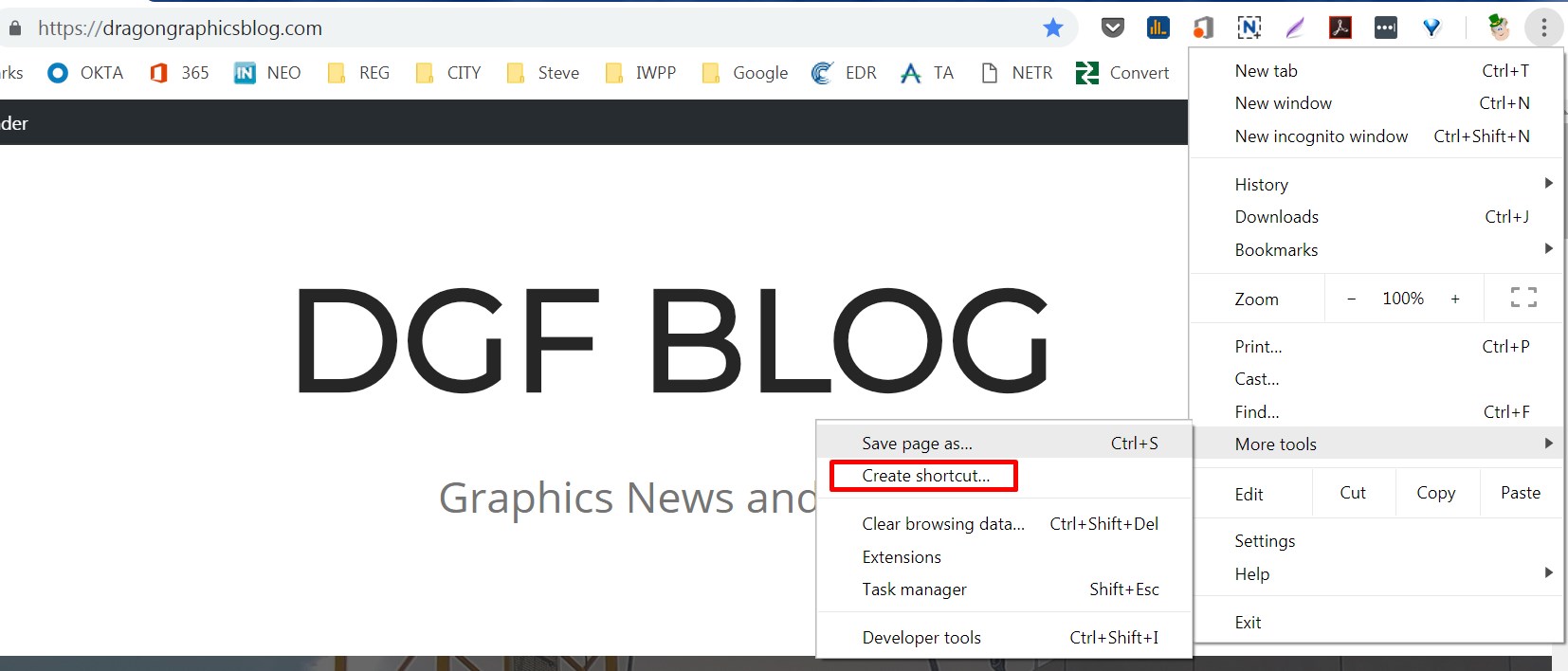
Make sure to check the “Open as window” if you want it to open in it’s own window.

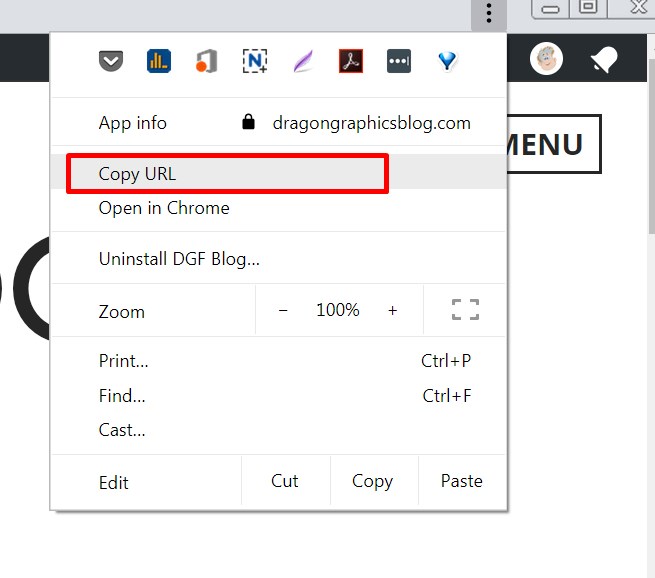
When the window opens click the 3 vertical dots and then click “Copy URL”
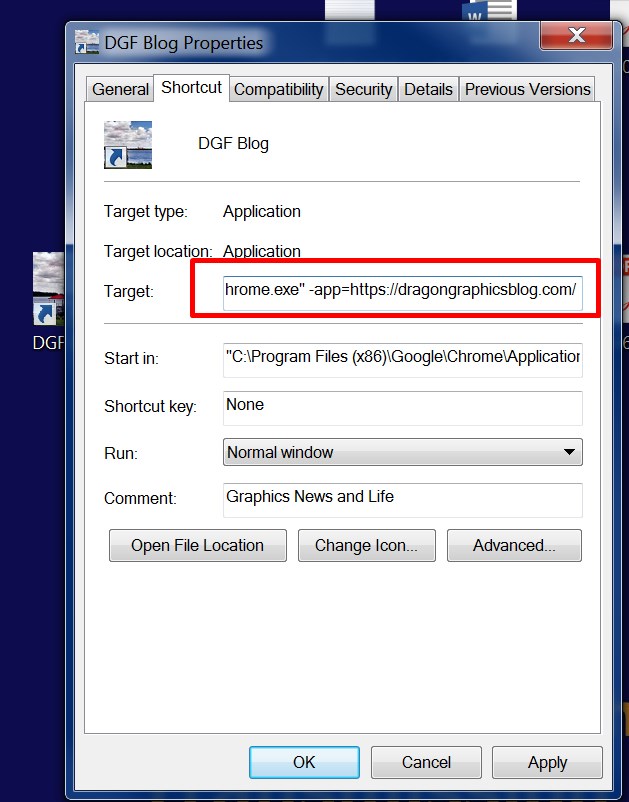
Right click on your new shortcut and select “properties”. Add a space then “-app=” and then paste your url. Mine looks like this: -app=https://dragongraphicsblog.wordpress.com/. The entire link is as follows: “C:\Program Files (x86)\Google\Chrome\Application\chrome.exe” -app=https://dragongraphicsblog.wordpress.com/
 Dragon Graphics Blog
Leave a comment